GrowUp design tools / SketchUp extension
GrowUp Wall Drawings for SketchUp
Create editable Hex Pot and Tray wall drawings from a guided form, directly in SketchUp.
Two systems. One drawing workflow.
Choose Hex Pot or Tray from the GrowUp menu. Click either screenshot for a closer look.
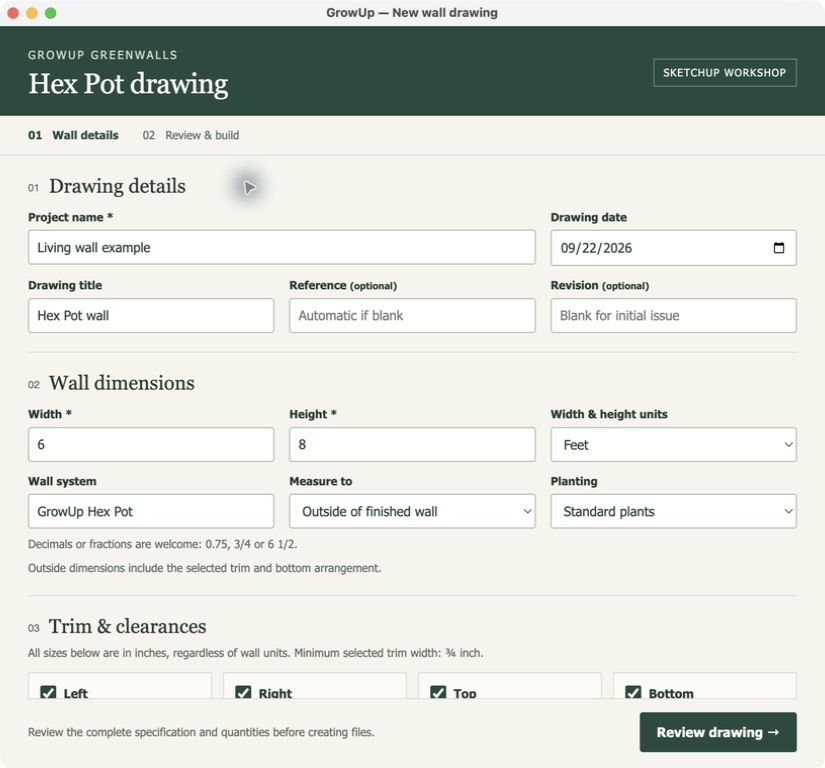
01 / HEX POT
Set out your Hex Pot wall.
Enter the wall, trim, irrigation and drainage details, then review the layout before building.
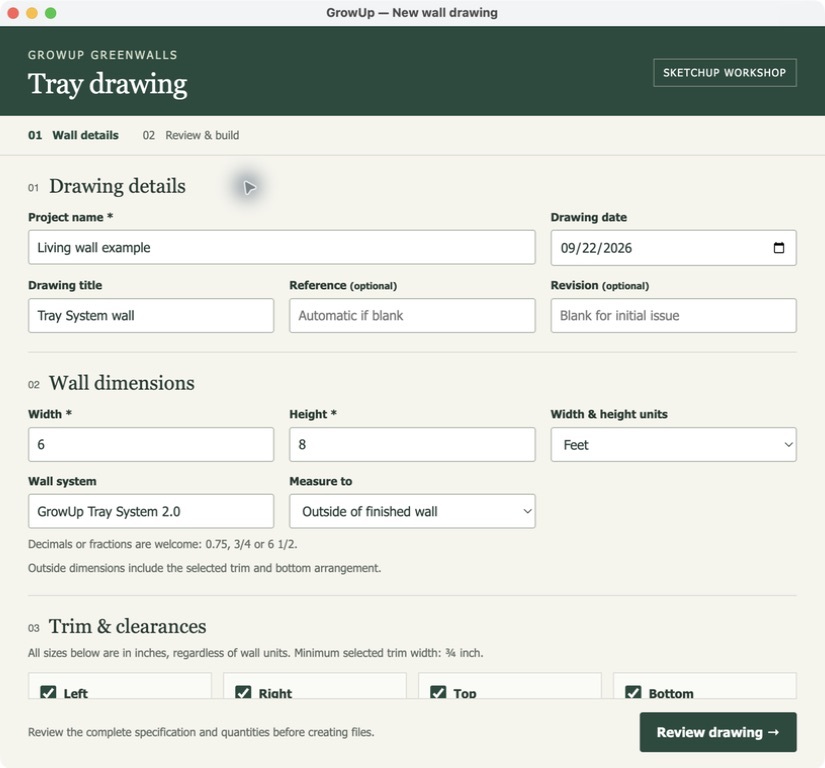
02 / TRAY SYSTEM 2.0
Build your tray layout.
Uses four-pot trays wherever they fit, with one-pot trays filling the remainder. Choose left or right water supply for either system; drain side applies to gutters only.
Install and create a drawing.
- Get the installerDownload version 1.4.7 from this page. Keep the file in its original RBZ format.
- Open Extension ManagerIn SketchUp, go to Extensions → Extension Manager and select Install Extension.
- Install the fileSelect the downloaded RBZ. If updating, save your open work and restart SketchUp after installation.
- Choose your wallOpen Extensions → GrowUp Wall Drawings, then New Hex Pot drawing… or New Tray drawing….
Enter details → Review drawing → Build drawing. Choose an output folder when prompted. SketchUp will notify you when the editable model, LayOut sheet and PDF are ready.
Check the quantities and construction assumptions in the review before building, then review the completed drawing before issuing it.
Keep your extension current.
This page carries the latest website installer. If you installed from this page, return here to check for new releases.
Once the extension is available in SketchUp Extension Warehouse, versions installed from the Warehouse can use SketchUp’s update notifications. Drawing creation works offline.
Compatibility: Requires desktop SketchUp 2026 and LayOut 2026. Version 1.4.7 verified on macOS. Windows testing for this version is pending. This extension does not run in SketchUp for Web. Contact GrowUp for help.